One lead at a time
Today is where your day starts. It hands you one lead at a time, the most urgent first, with the agent’s number and a box to log the call. Log it and the next lead takes its place.
On this page
What it is
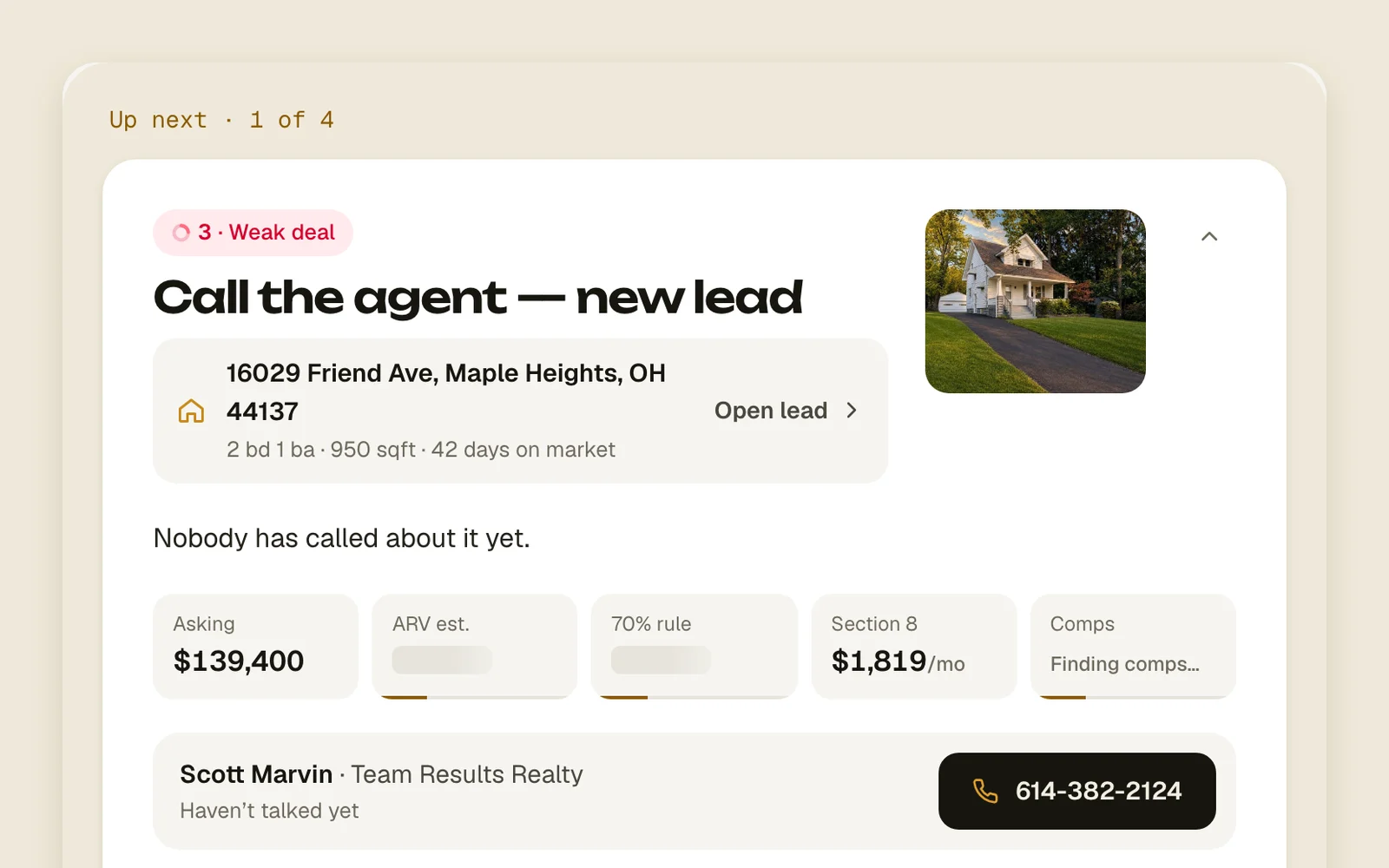
The big card at the top is Up next: the lead to work now. It says what to do and why, shows the deal’s numbers (asking, your offer and their counter, ARV, the 70% rule, Section 8 rent and comps), and puts the listing agent and their number right under them.
The rest of your day sits below it. Also now lists the other leads that are due. No follow-up holds open leads that nothing will bring back, so none slip away. Under contract folds away leads that are pending with someone else. Beside them, Pipeline counts your leads by status and Team activity shows the latest things done in the workspace.
A lead is due when its follow-up time has come, or when it’s new and nobody has reached it yet. A live offer or counter that runs out within 72 hours moves its lead up too.
Work your list
Leads come back to Today when a workflow sets their next follow-up. If you haven’t turned one on yet, start with Turn on a workflow.
- 1
Open Today
Tap Today in the menu. Pick Everyone for the whole team’s leads, or Mine for just the ones you own.
TodayEveryoneMine - 2
Call the agent
Tap the agent’s number on the card. On a phone the button just says Call. Your phone app places the call.
Call - 3
Log how it went
Once you tap the number, the bar under the agent asks How did it go? Pick Talked, Voicemail or No answer, type what they said if you like, then tap Log call. Not now puts it away. Called from somewhere else? Tap + Log, then Call.
TalkedVoicemailNo answerLog callNot now - 4
Text or email them
The bar under the agent writes to them. Pick Text or Email, type and tap Send. When they’ve written back, their message shows under their name. Tap ✦ for templates and Write it for me.
TextEmailSend - 5
Log anything else
Tap + Log for a note, an offer, a counter or a follow-up. Nothing is sent to the agent: it’s saved on the lead.
+ LogCallNoteOfferCounterFollow up… - 6
Move on
Once the call is logged, the lead leaves Up next and the next one takes the card. To work a different lead first, tap its row: it opens as the card and the one before folds back. Archive takes a dead lead off your list.
Archive
Good to know
- Only workflows bring a lead back. A lead with no follow-up waits under No follow-up until you set one on its page or archive it.
- A lead added in the last day that nobody has reached yet goes to the front, oldest first.
- An offer or counter running out within 72 hours pulls its lead to now, as long as the lead has a follow-up set. It moves a follow-up up; it doesn’t make one.
- Sold and archived leads never show here.
- Calls from Today use your phone app. To call through your Twilio number, use Call on the lead’s page: see Call, text and email from Acre.
- Texts and emails sent from the card go out the same way as from the lead’s page: from Gmail or Twilio when they’re connected, otherwise your phone’s messages or mail app opens.