Log it and undo it
Log what happened in a couple of taps. If you picked the wrong thing, Undo puts the lead back the way it was, including anything your workflows did about it.
On this page
What it is
There are seven things to log: Call (and how it went), Offer, Counter, Accepted, Rejected, Sold and Note. Each goes on the lead’s timeline, and your workflows hear about it. With a workflow like After a call, a voicemail can put the lead back on tomorrow’s list.
After you log, a message at the bottom of the screen says what happened next, like the next follow-up and which workflow set it, with Undo beside it.
Log something
- 1
From Today
Tap the number, pick how the call went and tap Log call. For anything else, tap + Log. See One lead at a time.
Log call+ Log - 2
From a lead’s page
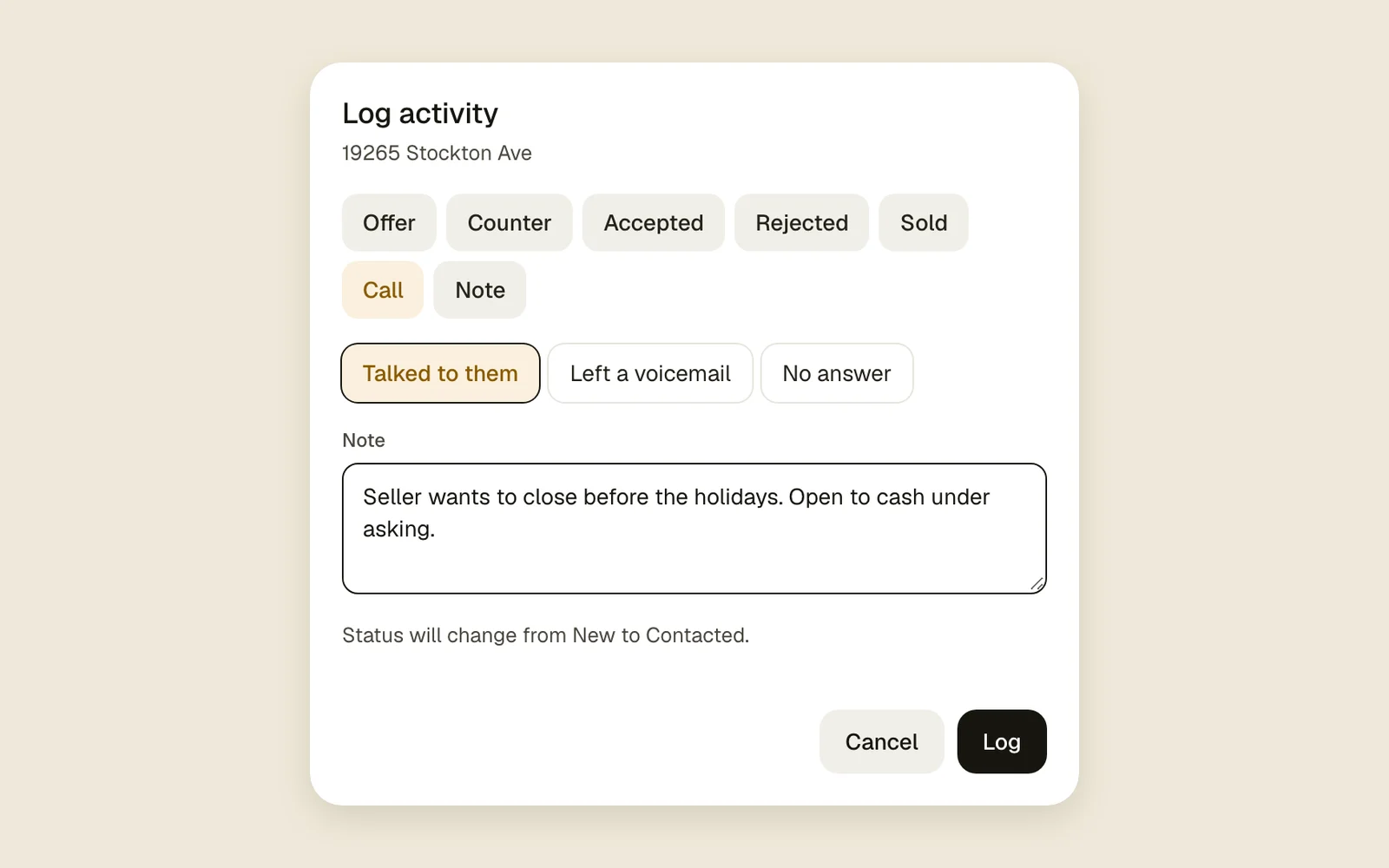
On a computer, the Log chips under the note box open the Log activity box: Call, Offer and Counter. On a phone, tap Log in the bottom bar.
CallOfferCounterLog - 3
Fill it in
Pick what happened at the top. A call asks how it went; an offer or counter asks the amount and when it expires; Accepted and Sold ask the amount. Add a Note if you like, check the line about the status, and tap Log.
Talked to themLeft a voicemailNo answerLog - 4
Jot a quick note
Type in the note box at the top of the lead’s Activity tab and tap Add.
Add - 5
Take it back
Tap Undo in the message at the bottom. It stays for a few seconds.
Undo
Good to know
- A call, text, email, offer, counter, Accepted, Rejected or Sold finishes the current follow-up, unless a workflow sets the next one. A note, a field change or an edit leaves it as it was.
- A reply from the agent (an email or a text that comes in) doesn’t finish a follow-up.
- The first call, text or email on a New lead moves it to Contacted.
- Undo takes back everything the entry set off: the workflow steps it moved, the follow-up it set, and any status or owner change.
- You can only undo your own entry, and only while it’s the newest thing on the lead. Once a teammate or a workflow adds something after it, it stays.
- Undo is only in that message. Once it’s gone, log the right thing instead.
- An email or text that went out through Gmail or Twilio can’t be undone.
- Changing a lead field and archiving a lead come with Undo too. Undoing an archive opens the lead again, so it needs room under your plan: see Plans and limits.