Leads list and map
Leads has every lead in the workspace, the most urgent first. Switch between a list and a map, filter by status and search.
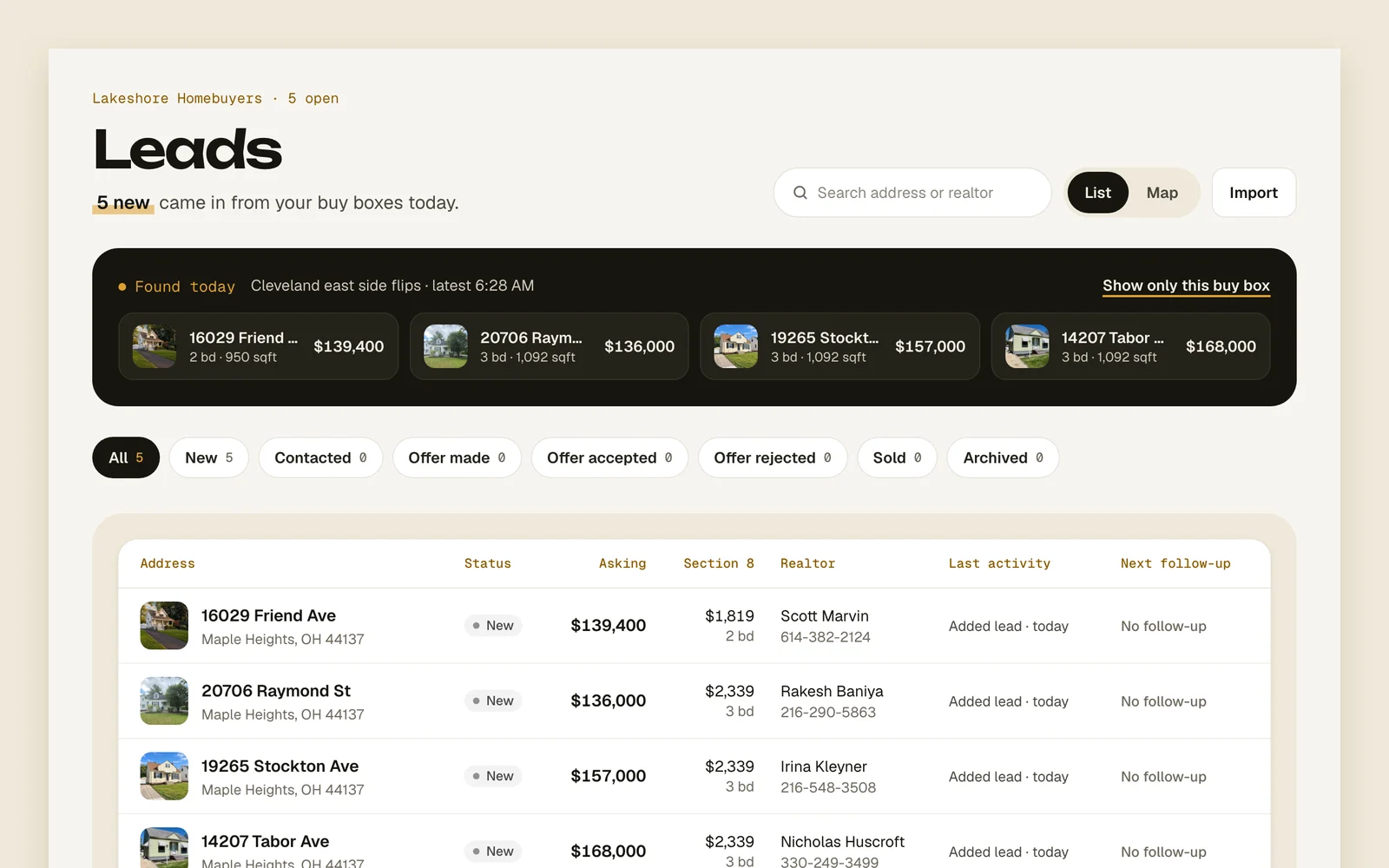
What’s on it
The list shows each lead’s address, status, asking price, realtor, last activity and next follow-up. The most urgent come first; leads with no follow-up go last. The map puts each lead on a pin colored by its status.
The line under the title counts your open leads and how many need a follow-up today. Leads your buy boxes found today show in a Found today strip at the top.
Find the leads you want
- 1
Filter by status
Tap a status to see only those leads; each says how many it has. All is every open lead. Archived ones are under Archived.
AllNewContactedOffer madeOffer acceptedOffer rejectedSoldArchived - 2
Search
Type in Search address or realtor to narrow the list by address, city or the realtor’s name.
- 3
Switch to the map
Press Map. Your status filter and search carry over.
ListMap - 4
Open a pin
Select a pin to see the lead, when it’s due and its comps; the grey dots are its comps’ sales. Press Open lead to go to it.
Open lead - 5
Bring one back
Under Archived, open the lead and press Restore.
Restore
Tips
Good to know
- Everyone in the workspace sees the same leads.
- All leaves out archived leads. Sold leads have their own filter.
- A lead with an offer or counter about to expire moves to the top.
- A lead whose address couldn’t be located has no pin, and the map says how many. Edit the lead’s address to fix it.
- Archiving asks why, like Lost to another buyer or Numbers don’t work. Archived leads leave the dashboard and stop getting follow-ups until you restore them.