Offers and counters
Keep the whole back-and-forth on the lead: your offers, the seller’s counters, and when each one runs out. When a deadline gets close, Acre moves the lead up your day.
What it is
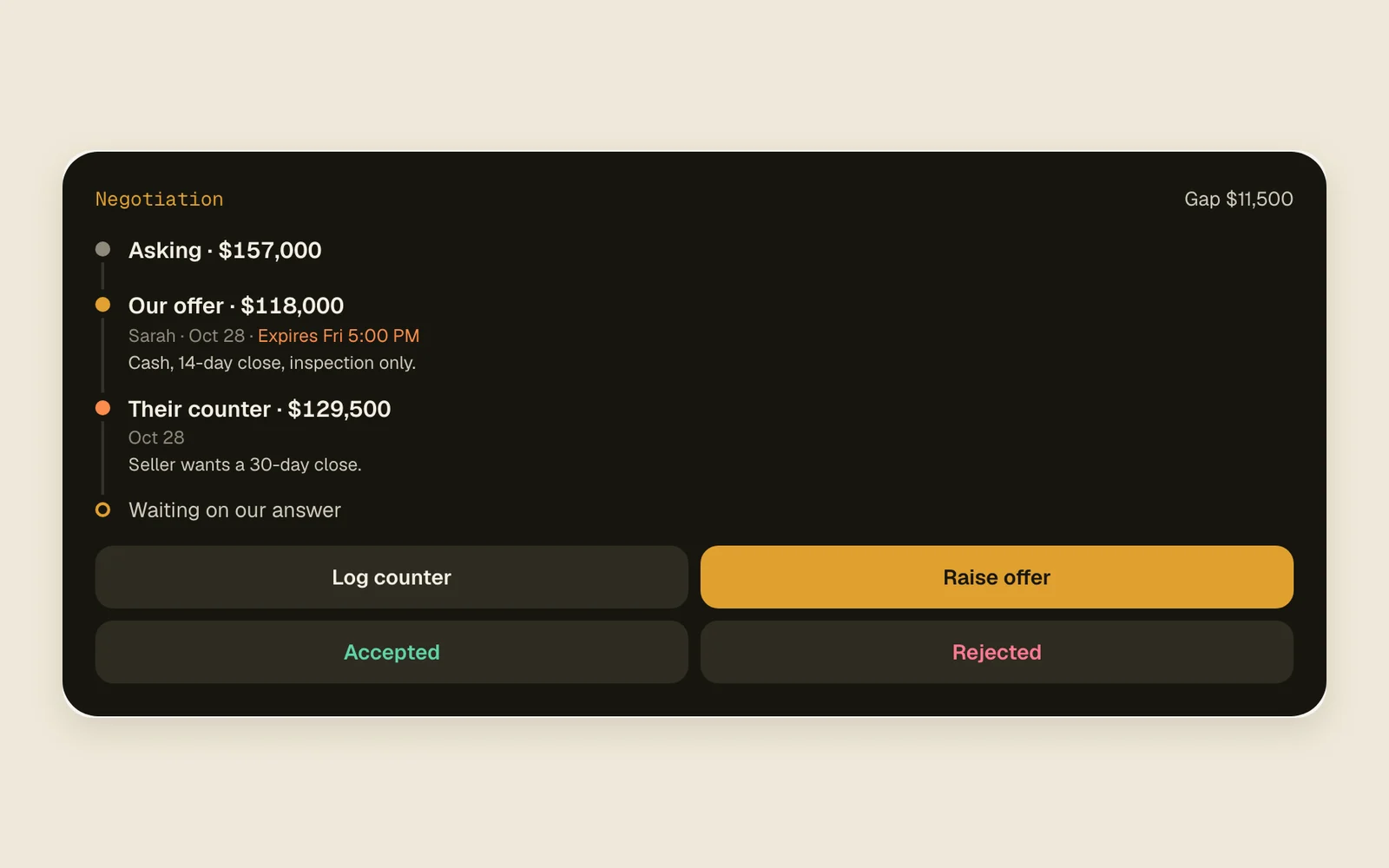
Every offer and counter you log goes on the lead’s Negotiation card, oldest first, starting from the asking price. While an offer is out, the card shows the gap between you and the seller, who’s waiting on whom, and how long until it expires.
The newest offer or counter sets the deadline. On Today the card shows it as “Our offer expires in 31h” or “Their counter expires in 2 days”, in pink once it’s under a day.
Log an offer and its answer
- 1
Log your offer
On the lead’s page, tap Offer under the note box. On a phone, tap Log in the bottom bar, then pick Offer. Enter the Offer amount.
OfferOffer amount - 2
Add when it expires
Fill in Offer expires (optional) with the day and time, in your own time zone. Put terms and contingencies in Note, then tap Log.
Offer expires (optional)Log - 3
Log their counter
When the seller comes back, tap Log counter on the Negotiation card. Enter Their counter amount and, if they gave one, Counter expires (optional).
Log counterTheir counter amountCounter expires (optional) - 4
Answer it
Use the card’s buttons: Raise offer to go back with a new number, Accepted when you have a deal, Rejected when it’s off. Accepted starts with their counter’s amount if it came last, or with your offer if not.
Raise offerAcceptedRejected - 5
Mark it sold
When the deal closes, open the Log activity box from any Log chip, pick Sold at the top and enter the Sold price.
SoldSold price
Good to know
- Only the newest offer or counter’s deadline counts. Log a new one without an expiry and the countdown goes away.
- Accepted, Rejected and Sold end the countdown.
- Within 72 hours of the deadline the lead is due now, on Today and on its Next follow-up card (“Moved up because our offer expires Fri 5:00 PM”). That only works when the lead has a follow-up set.
- Logging an offer, a counter, Accepted or Rejected counts as contact: it finishes the current follow-up unless a workflow sets the next one.
- An offer or counter moves the lead to Offer made. Accepted moves it to Offer accepted, Rejected to Offer rejected, Sold to Sold.
- The Negotiation card’s buttons show only while an offer is out. After that, log from the Log activity box.
- Logged the wrong amount? Undo takes it back: see Log it and undo it.