Import from a CSV or an address
Two ways to bring leads in yourself. Type one address and Acre fills in the listing for you. Or bring your old spreadsheet in as a CSV, up to 200 leads at once.
What it does
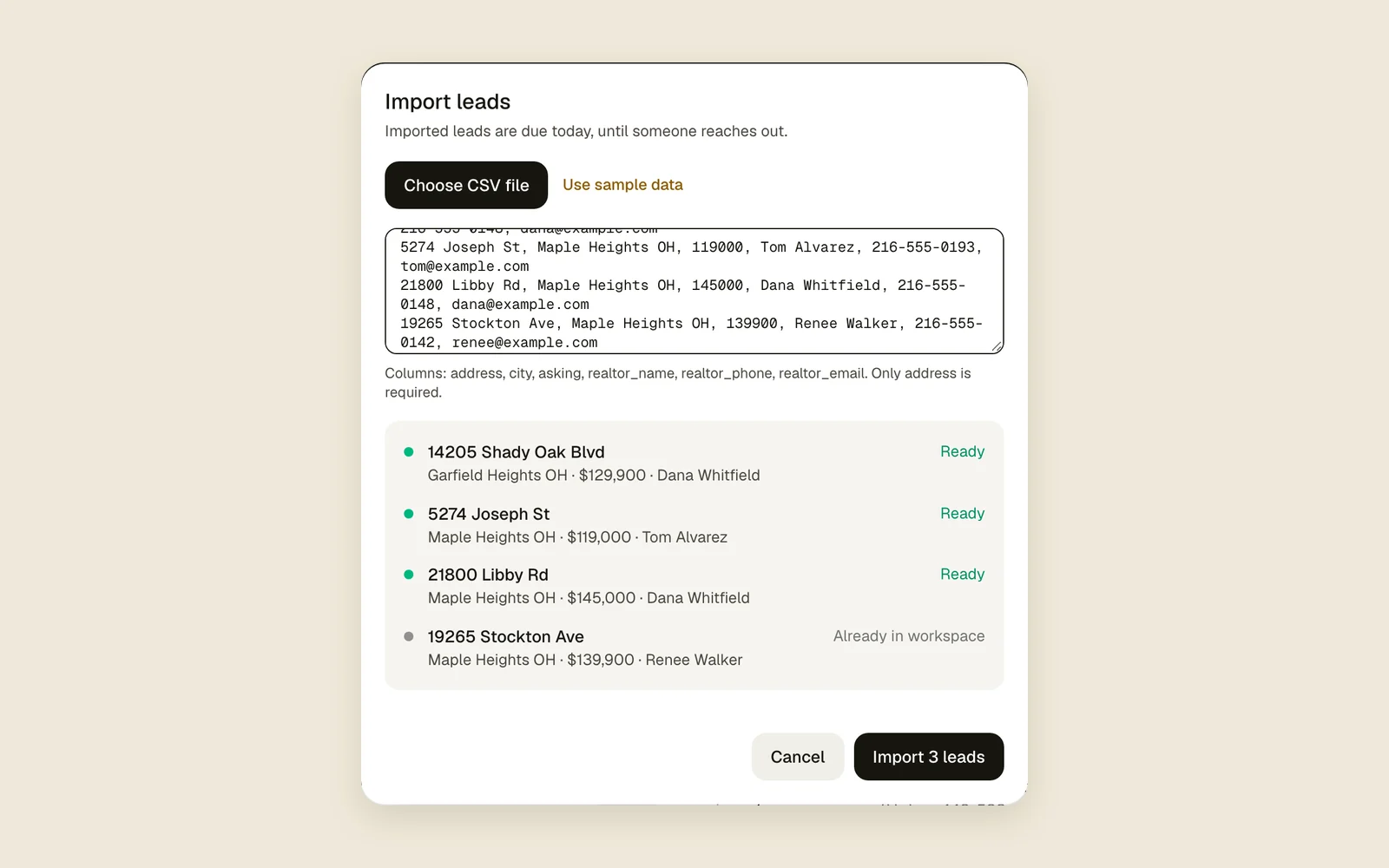
A CSV import reads your file, shows each row with what will happen to it, and adds the ready ones as leads. Addresses already in the workspace are skipped, so nothing comes in twice.
Import a CSV
- 1
Get your file ready
The first row names the columns: address, city, asking, realtor_name, realtor_phone and realtor_email. Only address is needed. The rest can be blank or left out, in any order.
- 2
Open Import
Go to Leads and press Import.
- 3
Add the rows
Press Choose CSV file, or paste the rows into the box. Use sample data shows what a good file looks like.
Choose CSV fileUse sample data - 4
Check the preview
Each row shows its address, city, price and realtor, and what will happen to it.
ReadyAlready in workspaceDuplicate rowMissing address - 5
Import
Press Import (it says how many). Only the Ready rows come in. A note at the bottom has Undo.
Add one address
- 1
Type it
Click Find or add an address at the top of the sidebar (the top bar on a phone) and type the street address.
- 2
Pick it
Under Add a new lead, pick the matching address. If it’s already a lead, it shows first under Your leads instead.
- 3
Check and add
Acre fills in the asking price, the realtor and the facts from the listing. Check them and press Add lead.
Add lead
Tips
Good to know
- Pasting a Zillow, Redfin or Realtor.com link doesn’t add a lead. Type the home’s address instead.
- Only the first 200 rows are read. Split a bigger file and import it in parts.
- Duplicates are matched on the address as written, so “123 Main St” and “123 Main Street” count as two.
- Whoever imports owns the imported leads.
- Your plan caps new leads a day (Plot: 10, Field: 25). If a file has more than you have room for, nothing comes in and Acre says how many fit. Take out some rows and try again. See Plans.
- Imported leads join your workflows that start when a lead is added, but those workflows send no notifications for an import, so a big file won’t buzz your phone.
- A CSV brings only what’s in the file. Acre looks for each address’s listing on its own afterwards, so photos and listing news can turn up later.
- Undo works only while nothing else has happened on those leads.